
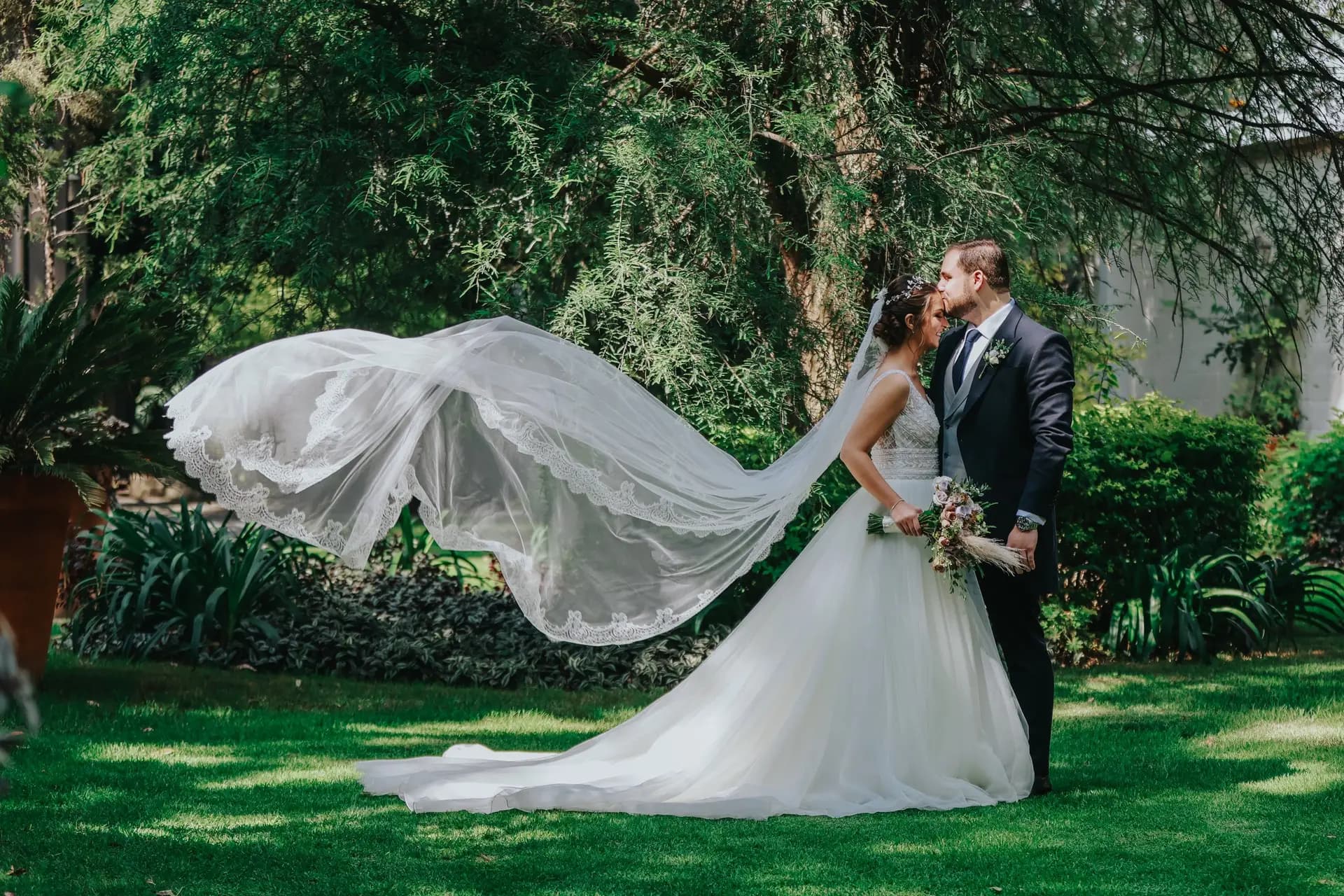
Acabas de fotografiar una boda hermosa. Cientos de fotos, un video highlight, quizá contenido 360° del venue. Ahora viene la pregunta que todo fotógrafo conoce: ¿cómo se lo entrego?
La mayoría de los fotógrafos usan las mismas dos opciones: una carpeta de Google Drive o un enlace de WeTransfer. Ambos funcionan técnicamente — los archivos llegan. Pero ninguno le hace justicia al trabajo que pusiste en capturar ese día.
El Problema con Google Drive
Google Drive está hecho para documentos y hojas de cálculo, no para mostrar recuerdos de boda. Cuando compartes una carpeta de Drive, esto es lo que tu cliente realmente experimenta:
- Un muro de nombres de archivo.
IMG_4521.jpg,DSC_0087.CR2,highlight-v3-final-FINAL.mp4. No hay historia, no hay flujo — solo un administrador de archivos. - Click, espera, click, espera. Cada foto requiere un click para abrirla, y otro para regresar. Ver 200 fotos se vuelve una tarea, no un placer.
- Los videos no se previsualizan bien. Los archivos de video grandes necesitan descargarse antes de verse. Tu highlight cuidadosamente editado se convierte en un link de descarga de 2GB.
- No soporta 360°. Si capturaste contenido 360° de la ceremonia o el venue, Drive lo mostrará como una imagen plana y distorsionada.
- Sin branding. Es la interfaz de Google. No hay nada que diga "esto viene de un profesional."
El Problema con WeTransfer
WeTransfer resuelve el problema de entrega — los archivos llegan del punto A al punto B. Pero eso es todo lo que hace:
- Es una descarga, no una experiencia. El destinatario recibe un archivo ZIP. Lo extrae, recorre una carpeta, y ya.
- Los enlaces expiran. Los enlaces gratuitos de WeTransfer mueren después de 7 días. Los de pago duran más, pero la pareja no puede revisitar su álbum un año después a menos que lo envíes de nuevo.
- Sin previsualización. No hay forma de explorar las fotos antes de descargar todo. La pareja tiene que comprometerse a una descarga de varios gigabytes antes de ver una sola imagen.
- Sin contenido mixto. No puedes combinar fotos, videos, la invitación PDF y un recorrido 360° del venue en una sola entrega.
Lo Que las Parejas Realmente Quieren
Cuando una pareja recibe su álbum de boda, quieren revivir el día — no administrar archivos. Quieren:
- Abrir un enlace en su teléfono (porque ahí es donde lo verán primero — probablemente en WhatsApp o Instagram DM)
- Ver sus fotos inmediatamente, bellamente presentadas
- Ver el video highlight sin descargar nada
- Compartir el enlace con familia y amigos que disfruten la misma experiencia
- Regresar a verlo meses o años después
No quieren descargar un ZIP, averiguar cuál carpeta tiene las fotos de la ceremonia, o mirar una cuadrícula de miniaturas en Google Drive.
Una Mejor Forma: Un Enlace, Todo Adentro
¿Qué tal si pudieras enviarle a la pareja un solo enlace que abre un álbum bellamente diseñado con todo lo de la boda?
Eso es exactamente lo que hace MyAlbumLink. Creas un álbum, agregas tu contenido, y compartes un enlace. Cuando la pareja lo abre, ven:
Fotos Que Hablan por Sí Solas
Cada foto recibe el protagonismo. No se necesita hacer click — las imágenes se muestran a resolución completa en un diseño limpio, estilo revista, que hace que cada una brille. La pareja recorre su día de forma natural, como si hojearan un álbum impreso.
Videos Que Se Reproducen al Instante
El highlight, las tomas de la ceremonia, los discursos — todo se reproduce en línea, ahí mismo en el álbum. Sin descargas, sin esperas. Los videos se reproducen al pasar el cursor en escritorio, y en el celular muestran previsualizaciones animadas para que los invitados sepan qué esperar antes de tocar.
Momentos 360° Que Sumergen
Si capturaste contenido 360° del venue, la ceremonia o el área de recepción, se muestra como un panorama completamente interactivo. Los invitados pueden mirar alrededor, explorar el espacio y sentirse como si estuvieran ahí. Intenta hacer eso con un enlace de Google Drive.
La Invitación PDF, Ahí Mismo
Aquí hay algo que ninguna otra plataforma maneja bien: la invitación digital. En México y Latinoamérica, las invitaciones PDF se han convertido en el estándar — las parejas diseñan hermosas tarjetas digitales y las comparten por WhatsApp. Con MyAlbumLink, puedes incluir la invitación PDF directamente en el álbum junto con las fotos y videos. Es la historia completa de la boda, desde el "save the date" hasta el último baile.
Documentos y Tarjetas de Enlace
¿Necesitas incluir los créditos de los proveedores? ¿Un enlace al sitio web de la boda? ¿Un pin de Google Maps del venue? Agrega tarjetas de enlace que se integran naturalmente junto con tu contenido multimedia — sin necesidad de emails o mensajes separados.
La Diferencia en Experiencia
Esto es lo que hace que un enlace de álbum dedicado sea fundamentalmente diferente de las herramientas para compartir archivos:
| Google Drive | WeTransfer | MyAlbumLink | |
|---|---|---|---|
| Primera impresión | Lista de archivos | Botón de descarga | Álbum hermoso |
| Ver fotos | Click en cada una | Descargar primero | Desplazar naturalmente |
| Reproducir video | Descargar o buffer | Descargar primero | Se reproduce en línea |
| Contenido 360° | Imagen plana | No soportado | Panorama interactivo |
| Documentos PDF | Descargar para ver | Descargar para ver | Vista previa en línea |
| Experiencia móvil | Necesita app Drive | Descargar + extraer | Abre en el navegador |
| Expiración del enlace | Nunca (pero desordenado) | 7 días (gratis) | Nunca |
| Compartible | Problemas de permisos | Reenviar enlace | Un enlace, cualquier persona |
| Branding | Interfaz de Google | Página de WeTransfer | Tu contenido, diseño limpio |
Para Fotógrafos: Por Qué Esto Importa para Tu Negocio
Entregar fotos de boda a través de un álbum con enlace dedicado no solo es mejor para la pareja — es mejor para tu negocio:
- Se ve profesional. Cuando la pareja comparte el enlace con su familia (y lo harán), todos ven una presentación pulida — no una carpeta de Drive.
- Es tu portafolio en circulación. Cada álbum compartido es una muestra de tu trabajo. La tía en Guadalajara, el amigo de la universidad en Chicago — todos ven tu fotografía presentada de forma hermosa.
- Reduce el soporte. No más "no puedo abrir el archivo," "el enlace expiró," o "¿dónde están las fotos de la ceremonia?" Todo está en un solo lugar, organizado, y accesible desde cualquier dispositivo.
- Maneja todos los formatos. Fotos, videos, contenido 360°, PDFs — un álbum, un enlace. No necesitas enviar múltiples entregas por diferentes canales.
Cómo Crear un Álbum de Boda en 2 Minutos
- Regístrate en myalbumlink.com (es gratis)
- Crea un álbum y dale un nombre — "Sofía & Carlos | Boda"
- Sube todo — fotos, videos, panoramas 360°, la invitación PDF
- Ordena el contenido — arrastra y suelta para contar la historia del día
- Comparte el enlace — envíalo a la pareja por WhatsApp, email, o como se comuniquen
Eso es todo. No hay carpetas que organizar, no hay archivos ZIP que crear, no hay permisos que configurar. La pareja recibe un solo enlace que funciona en cualquier dispositivo, se ve hermoso, y dura para siempre.
En Resumen
Google Drive y WeTransfer son excelentes herramientas — para enviar hojas de cálculo y archivos grandes. Pero los recuerdos de boda merecen algo mejor que un administrador de archivos.
Cuando entregas un álbum de boda a través de un enlace dedicado, no solo estás enviando archivos — estás entregando una experiencia. Una experiencia donde cada foto tiene el protagonismo, cada video se reproduce sin problemas, y la pareja puede revivir su día exactamente como lo sintieron.
Tu trabajo merece ser visto como lo pensaste. No como miniaturas en una carpeta.
¿Listo para mejorar tu entrega de álbumes de boda? Crea tu primer álbum en MyAlbumLink — es gratis.