
Es la mañana siguiente a la boda. La galería del fotógrafo no llegará hasta dentro de seis semanas. ¿Pero tus invitados? Ya tienen cientos de fotos — en sus teléfonos, en este momento.
El primer baile desde el fondo del salón. Tu abuela riéndose en una mesa a la que nunca alcanzaste a llegar. El puesto de tacos de la 1 a.m. que nadie planeó y todos recuerdan. El fotógrafo oficial es una persona con un solo juego de ángulos. Tus invitados son la boda vista por ochenta pares de ojos.
Lo difícil nunca fue tomar esas fotos. Lo difícil es sacarlas de ochenta teléfonos y juntarlas en un solo lugar.
El Problema del Grupo de WhatsApp
Entonces alguien crea un grupo de WhatsApp. "¡Manden sus fotos aquí!" Y durante un día, funciona.
Después se convierte en ese basurero hermosamente caótico que todos conocemos — fotos encajadas entre doscientos mensajes, tres memes reenviados y un hilo larguísimo de "gracias, estuvo divino". Y eso es el mejor de los casos.
Esto es lo que de verdad sale mal:
- WhatsApp aplasta cada archivo. Las fotos llegan con calidad de captura de pantalla. ¿Esa toma preciosa de la ceremonia en alta resolución? Comprimida hasta algo que jamás imprimirías.
- Los videos apenas sobreviven. Llegan como descargas, caducan, o simplemente se niegan a reproducirse.
- La mitad de tus invitados no están en el grupo. La amiga de tu tía, los acompañantes, el primo que cambió de número — también tienen fotos, y ninguna forma de enviarlas.
- Y ahora tú haces el trabajo. Ustedes, los recién casados, recorriendo un hilo de chat y guardando cuatrocientas fotos de una en una. En su luna de miel.
La galería oficial llega como un álbum hermoso. La versión de los invitados llega como un hilo de chat. Quieres las dos mitades de tu boda — pero solo una de ellas aparece pareciendo un recuerdo.
Una Mejor Forma: Un Enlace, y el Álbum se Llena Solo
¿Y si cada invitado pudiera dejar sus fotos y videos directo en tu álbum de boda — sin una app, sin una cuenta, sin que tú tengas que ordenar nada?
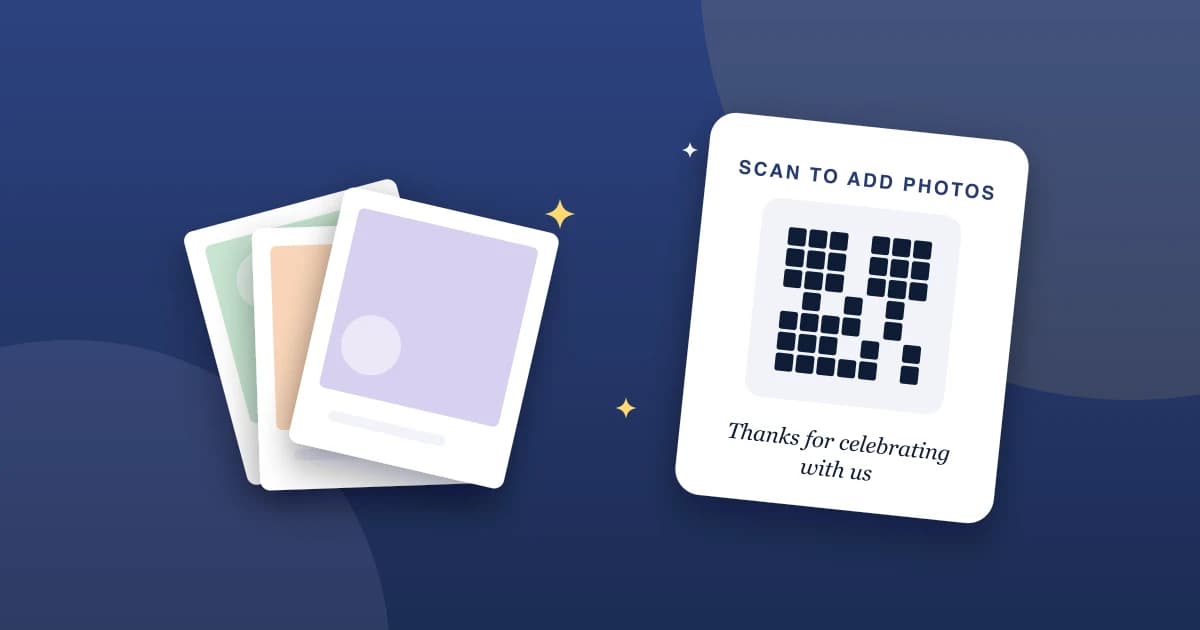
Eso es lo que hacen las subidas de invitados en MyAlbumLink. Activas un enlace de subida para tu álbum y lo compartes. O lo imprimes como código QR. Un invitado lo abre, elige las fotos y videos de su teléfono, y toca subir. Esa es toda la experiencia para ellos — sin pantalla de registro, sin nada que instalar.
Todo lo que envían cae en una sección de Fotos de invitados dentro de tu álbum, separada de las fotos que tú agregaste. Tu álbum curado sigue curado. La versión de los invitados queda justo al lado.
Y tú mantienes el control. El enlace es tuyo para pausarlo cuando quieras — déjalo abierto durante la luna de miel para alcanzar a los rezagados, y después apágalo.
Dónde Poner el Código QR
El enlace funciona pegado en una invitación de WhatsApp o un correo. Pero el código QR es donde esto se pone divertido:
- Una tarjeta pequeña en cada mesa del banquete
- Junto al libro de firmas
- Impreso en el programa de la ceremonia
- Una diapositiva en la pantalla entre los discursos
MyAlbumLink te da una tarjeta imprimible hecha justo para esto — pon una en cada mesa y tus invitados sabrán qué hacer sin que nadie tenga que explicarlo. Escanear, agregar fotos, listo.
El Trabajo Aburrido que Hacemos por Ti
Las fotos de invitados llegan de ochenta teléfonos distintos en ochenta estados distintos. Nosotros limpiamos eso sin que lo notes:
- Las fotos HEIC de iPhone se convierten para que se abran bien en cualquier dispositivo, no solo en otros iPhone.
- Los videos reciben una miniatura generada automáticamente, para que tu álbum no muestre una fila de rectángulos en blanco.
- Cada subida se optimiza para cargar rápido, ya sea en una laptop o en un teléfono mientras alguien hace tiempo en el aeropuerto.
- Las subidas de invitados quedan en su propia sección, así una foto borrosa de la pista de baile nunca se mezcla con las fotos que tú elegiste con cuidado.
Tus invitados solo eligen fotos. La limpieza corre por nuestra cuenta.
Cómo Activar las Subidas de Invitados
- Abre tu álbum de boda en MyAlbumLink
- Entra a la configuración del álbum y busca Subidas de invitados
- Crea el enlace de invitados — obtendrás una URL para compartir y un código QR
- Descarga el QR o la tarjeta de mesa imprimible
- Compártelo con tus invitados, y mira cómo se llena el álbum
Las subidas de invitados vienen con el plan Pro, junto con álbumes ilimitados y 25 GB de almacenamiento. Si ya estás publicando tu álbum de boda en MyAlbumLink, está a un solo interruptor de distancia.
La Mañana Siguiente, de Otra Forma
Imagina esa misma mañana después de la boda. Esta vez, nadie crea un grupo de chat. El código QR hizo su trabajo la noche anterior — en algún punto entre el primer baile y el puesto de tacos.
Seis semanas antes de que llegue la galería del fotógrafo, tu álbum de boda ya guarda cien fotos. Tomadas por la gente que estuvo más cerca de los momentos, justo donde deben estar.